Build a checkout that converts.
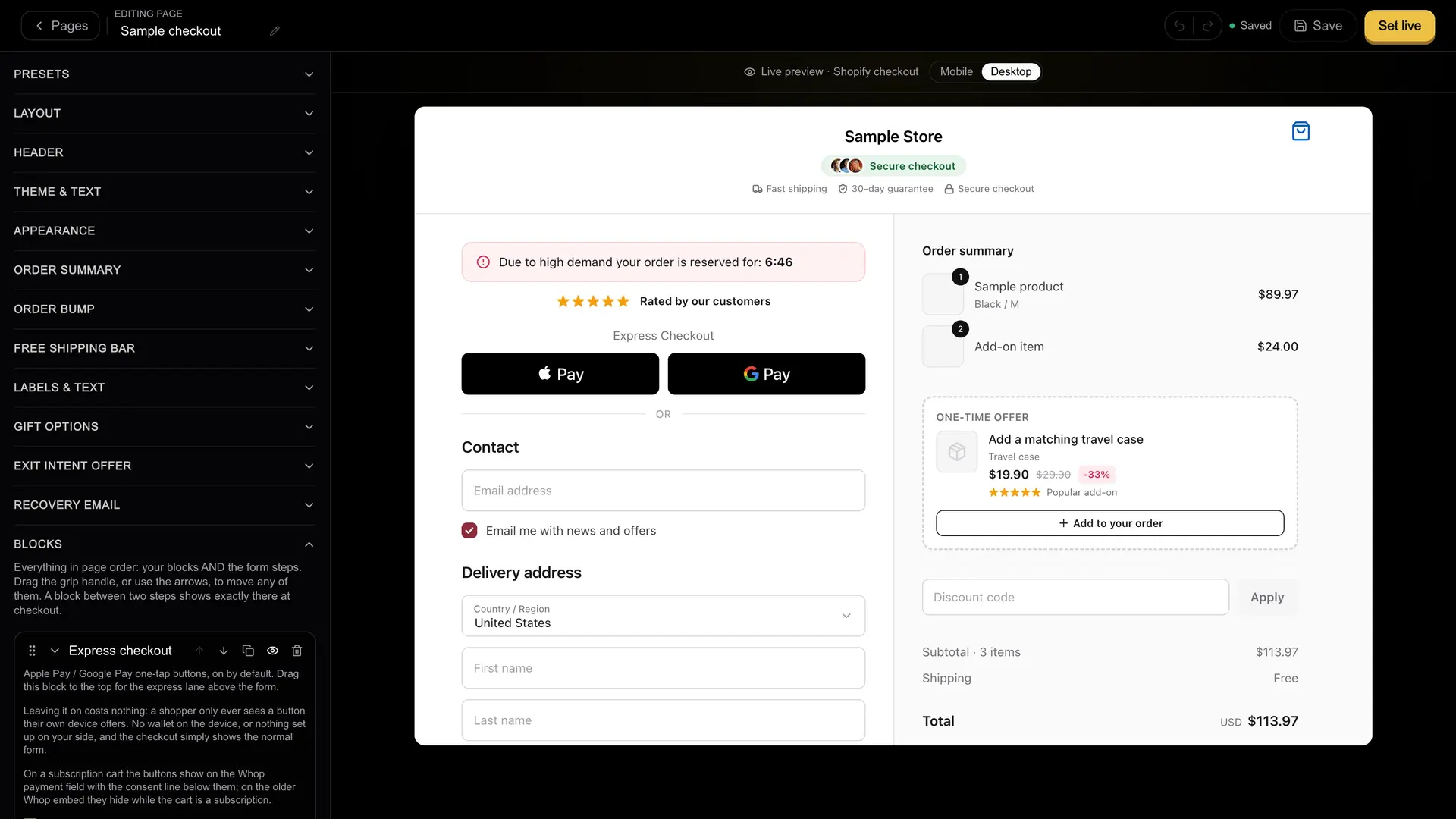
The Shopify checkout builder: drag testimonials, timers and order bumps onto a live preview, no code.
Sample data
Start with a shape
Six presets, then make it yours.
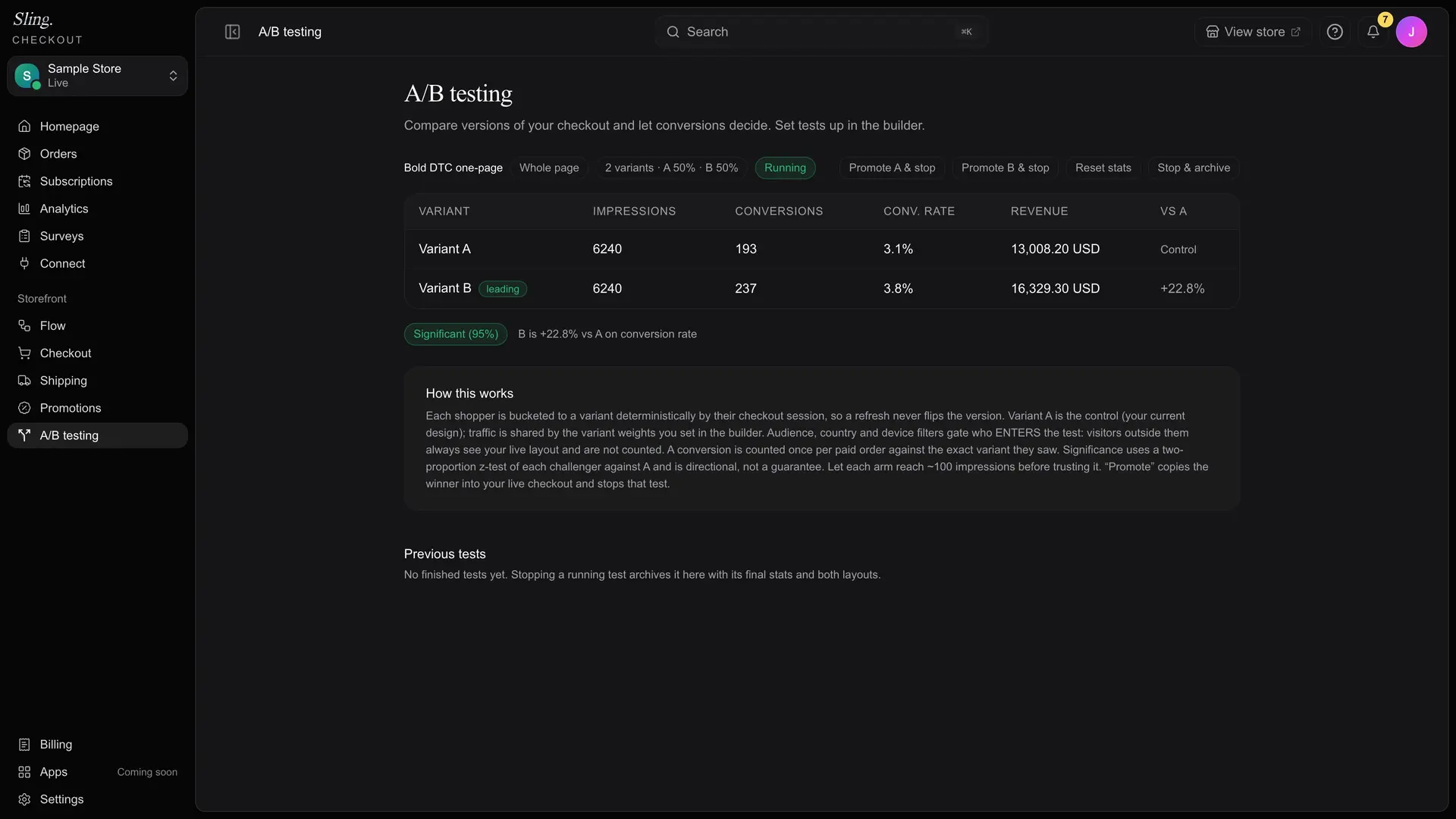
Pick a shell, from classic split to bold one-page DTC, style every colour and block, then A/B test the winner.
Classic split
Single column
Standard
Bold DTC
Minimal
Editorial DTC
6
layout presets
17
drag-in blocks
A/B
test and promote
Every block that lifts conversion, one drag away.
Drag blocks onto a live preview
Drag testimonials, countdown timers, trust badges, FAQ and order bumps onto a live preview, then publish.
- Reorder by drag
- Style to your brand
- One-click publish
Lift average order value at the last step
Add order bumps and Subscribe & Save right where shoppers decide, plus a one-click upsell on the thank-you page.
- Order bumps at checkout
- Subscribe & Save
- Post-purchase upsells
Sample data
Sample data
Discounts and shipping, handled
Codes, free-shipping offers, minimum-order thresholds and per-country rates all apply server-side, so totals are always right.
- Code and free-shipping types
- Minimum-order threshold
- Per-country shipping rates
Three steps to a checkout you own.
Drop in your blocks
Pick a layout, drag in the blocks that fit your brand, and style it to match your store.
Preview on real devices
See exactly what shoppers see on desktop and mobile before anything goes live.
Go live on your domain
Start your plan, set up your connected Whop account and your domain, then we review the store before it goes live.
Sample data
Built in, not bolted on.
Testimonials
Social proof right at the decision point, styled to your brand.
Countdown timers
Urgency that converts, without a sketchy third-party plugin.
Trust badges
Encryption and guarantee badges that reassure first-time buyers.
Order bumps
One-tap add-ons that lift average order value at checkout.
Thank-you page
A post-purchase page builder with a one-click upsell after payment.
Skip-cart intercept
Send buy-now clicks straight to your checkout when you want to.
Every block is yours to try before you go live.
Build the whole thing and preview it on your storefront in test mode. Live payments start once the plan does.
“My theme, products and cart carried on as normal, and the checkout finally converts.”
Illustrative example, apparel DTC
Questions.
Shopify's terms say merchants agree to use Shopify Checkout for any sales associated with their online store and not to work around its limits to process orders outside it. An external checkout like Sling may conflict with those terms, and that risk sits with you as the merchant. Read Shopify's terms before you go live.
Usually not. Connecting Shopify lets us install the checkout loader for you, and you confirm it before real payments. If the install does not land, one line pasted into theme.liquid does the same job.
Yes. Colors, logo, radius and layout are all yours, and you preview on real devices before publishing.
Testimonials, countdown timers, trust badges, FAQ, order bumps, Subscribe & Save, discounts and a post-purchase upsell, all drag-and-drop, no code.