Keep the store. Own the checkout.
A custom checkout for Shopify stores: your storefront stays, and a drag-and-drop builder shapes the checkout.
What stays, and what changes.
Your theme, products and cart stay on Shopify. The checkout step moves to a page you build, with payments processed by Whop on your connected account. Shopify's terms restrict checkouts outside Shopify Checkout, so read them first.
Stays the same
- Your URLs and SEO
- Theme and design
- Products and cart
- Your Shopify admin
What changes
- The checkout page
- Blocks and branding
- How much it converts
A switch at the pay step, not a migration.
17
drag-in blocks
Same
storefront and cart
Yours
the checkout builder
What Sling includes.
| Sling | |
|---|---|
| Checkout builder | Drag-and-drop, yours |
| Order bumps and upsells | Built in |
| Subscribe & Save | Built in |
| Server-side pixels | Meta, TikTok, Pinterest, Snapchat |
| Software fee | from $99/mo + 1%/order |
Fees shown are Sling's own; card processing and payment terms are set by your connected Whop account.
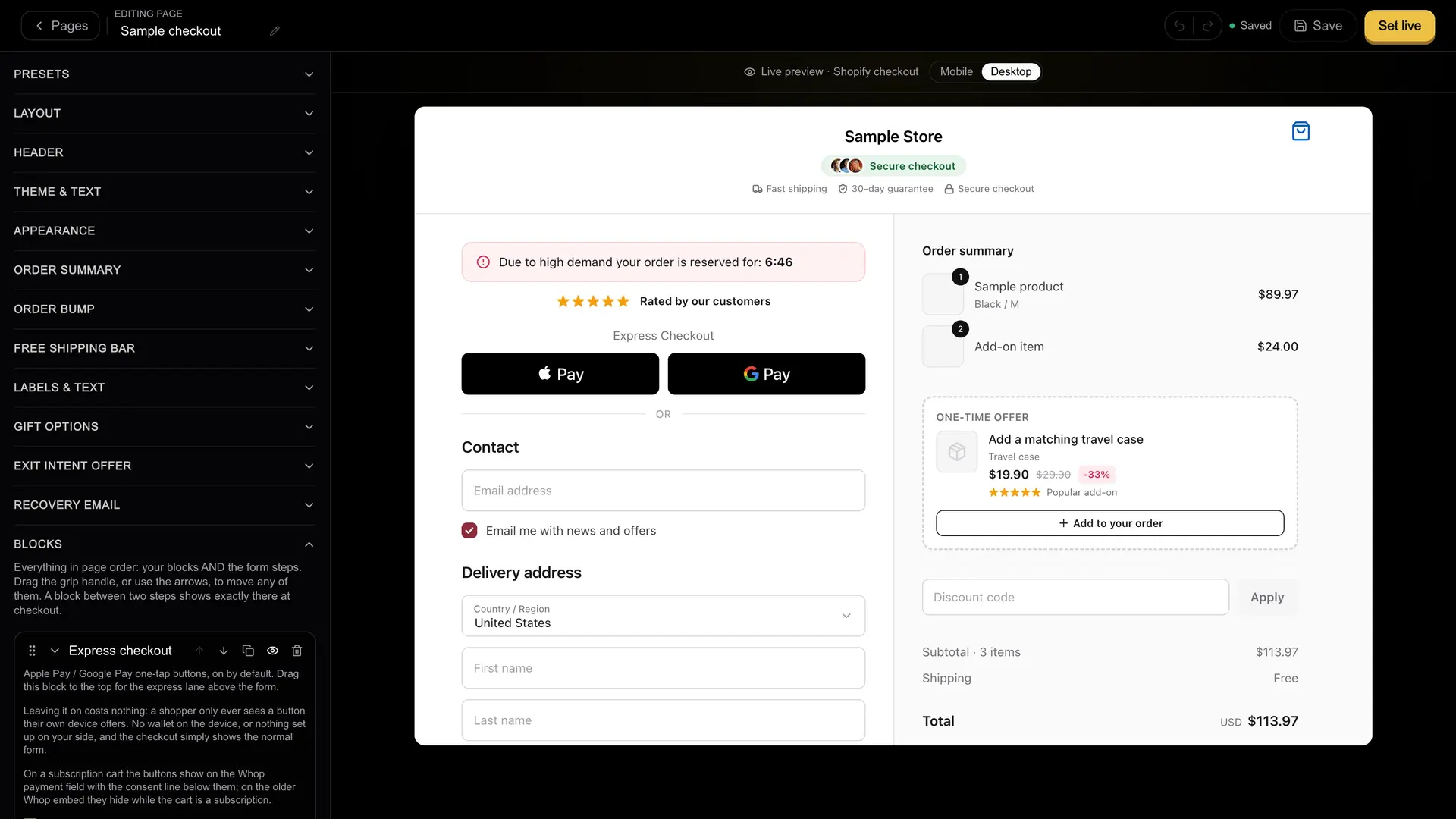
Sample data
Only the checkout changes.
Your storefront keeps its design
Same look, same products, same cart. Shoppers stay on your storefront until checkout, then pay on your checkout domain.
- No theme rebuild
- Same catalog
- No re-platforming
A checkout you actually control
Drag testimonials, timers, order bumps and Subscribe & Save onto a live preview, then publish on your own domain.
- Drag-and-drop blocks
- Order bumps and upsells
- Your own domain
Switching
The path to a live checkout.
Connect Shopify and build
Link your Shopify store and style your drag-and-drop checkout in test mode, before a plan starts.
Start your plan
When you're ready, start your plan to unlock live payments, your connected Whop account and checkout domain.
Connect Whop and go live
Set up your connected Whop account, finish the last checks with us, and orders sync back to Shopify.
Questions.
No. Your theme, products and cart keep working as they do today. The one addition is our checkout loader on your storefront, which you confirm before the store can charge a card, or paste into theme.liquid yourself if it never arrives.
Whop processes every payment, under Whop's terms, on the Whop account connected to your store. New stores get that account created under Sling's platform on Whop. Whop's verification decides payouts, and a store may take payments while it is still open. Older stores use a Whop account of their own. Sling receives its 1% per order as a fee. Sling is checkout software, not a bank and not the merchant of record.
Shopify's terms say merchants agree to use Shopify Checkout for any sales associated with their online store and not to work around its limits to process orders outside it. An external checkout like Sling may conflict with those terms, and that risk sits with you as the merchant. Read Shopify's terms before you go live.